Using AI for Customer Support: Chatbots and Beyond
Beyond Chatbots: The Full Scope of AI in Customer Support
When most people think of AI customer support, they picture a chatbot on a website. But AI's role in support operations extends far beyond conversational interfaces. AI is being used for ticket routing, sentiment analysis, response suggestions, quality assurance, knowledge base management, and predictive analytics. Each of these applications addresses a specific pain point in the support workflow, and together they can transform a reactive support operation into a proactive one.
The business case for AI in customer support is compelling. According to industry data, companies that implement AI support tools see a 25-40% reduction in average handle time, a 15-25% increase in first-contact resolution rate, and a 20-35% decrease in support costs. These improvements come not from replacing human agents but from augmenting them with tools that handle routine tasks, surface relevant information, and prioritize the most urgent issues.
Intelligent Ticket Routing and Categorization
Support teams that receive more than 50 tickets per day need a way to route them to the right agent without manual triage. AI ticket routing analyzes the content of incoming tickets and automatically assigns them based on topic, urgency, language, and agent expertise. This eliminates the manual sorting process that can take 10-15 minutes per ticket during peak periods.
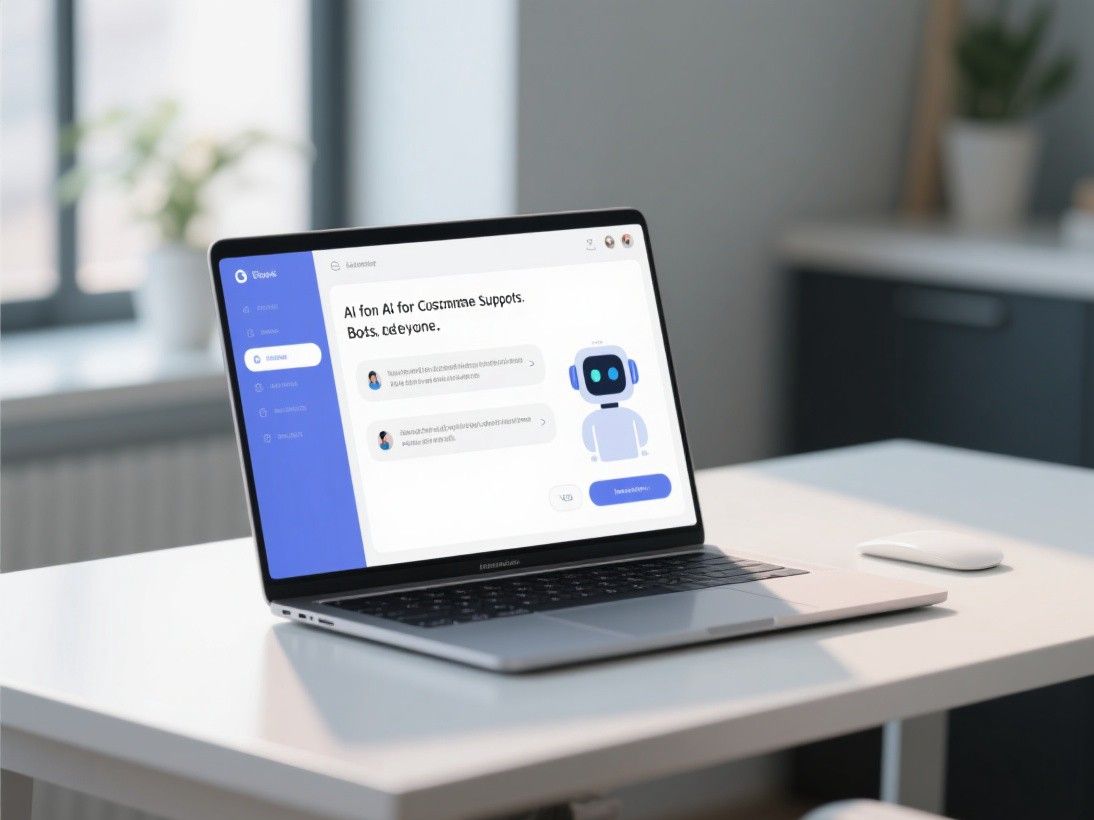
Zendesk Advanced AI includes intelligent ticket routing that learns from historical assignment patterns. If tickets about billing issues are typically assigned to Sarah, the AI will route new billing tickets to Sarah automatically, even if the customer does not use the word "billing" in their message. Zendesk's AI also adds tags and categories to tickets, making them easier to search and analyze. The feature is included in Zendesk Suite Professional ($89 per agent per month) and above.
Freshdesk's Freddy AI offers similar routing capabilities with the added ability to detect customer sentiment. Tickets from frustrated customers are flagged and routed to senior agents, while routine questions are directed to junior agents or handled by the chatbot. Freshdesk's AI is included in the Growth plan ($15 per agent per month) and above.
AI-Powered Response Suggestions
Response suggestions are one of the most immediately useful AI features for support agents. As an agent reads a customer ticket, the AI analyzes the message and suggests a response based on your knowledge base, previous similar tickets, and company policies. The agent can use the suggestion as-is, edit it, or write a completely custom response.
This feature is valuable because it eliminates the time agents spend searching for the right answer. Instead of digging through documentation or asking colleagues, the agent gets a relevant response suggestion within seconds. Over time, the AI learns which suggestions agents accept and which they modify, improving its accuracy.
Intercom Fin takes this further by resolving customer issues entirely through AI conversation. Fin uses GPT-4 to answer customer questions based on your help center content, and it can handle complex multi-turn conversations without human intervention. When Fin cannot answer a question, it seamlessly transfers the conversation to a human agent with full context. Intercom reports that Fin resolves an average of 50% of customer inquiries without human involvement. Pricing is based on resolution volume, starting at $39 per month for small teams.
Sentiment Analysis for Proactive Support
AI sentiment analysis evaluates the emotional tone of customer messages in real time. This serves two purposes. First, it prioritizes tickets from frustrated or angry customers so they receive faster attention. Second, it provides management with a real-time view of customer sentiment across all support channels, which helps identify systemic issues before they escalate.
Kustomer (now part of Meta) offers built-in sentiment analysis that scores every customer interaction on a scale from negative to positive. The platform aggregates these scores into a customer health dashboard that shows trends over time. If sentiment scores drop suddenly across a specific product or feature, the support team can alert the product team before the issue generates a flood of tickets.
Sentiment analysis also helps with quality assurance. Instead of manually reviewing a random sample of tickets, managers can filter for interactions with negative sentiment scores and review those specifically. This targeted approach catches more issues with less effort than random sampling.
AI-Powered Knowledge Base Management
A knowledge base is only effective if it contains the answers customers actually need. AI tools analyze support tickets to identify gaps in your knowledge base. If customers repeatedly ask questions that are not covered in your help articles, the AI flags these topics and suggests new articles to create. Conversely, if help articles exist but customers are still asking the same questions, the AI identifies articles that need to be rewritten for clarity.
Document360 includes an AI-powered knowledge base assistant that reads your support tickets and generates article drafts for the most common questions. The drafts include relevant information extracted from resolved tickets, so your support agents' collective knowledge is captured and organized automatically. This feature turns your ticket history into a self-service resource, reducing ticket volume over time.
Measuring the Impact of AI on Support Quality
Implementing AI tools without measuring their impact is a common mistake. Track these metrics before and after deployment: average handle time, first-contact resolution rate, customer satisfaction score (CSAT), net promoter score (NPS), ticket volume, and agent utilization rate. Give each new tool at least 30 days of data before evaluating its effectiveness.
The most important metric is CSAT. AI tools should improve customer satisfaction, not just reduce costs. If your CSAT drops after implementing AI, the tools are not working as intended and need adjustment. Common causes of CSAT drops include chatbots that cannot handle complex issues gracefully, response suggestions that sound robotic, and ticket routing errors that send customers to the wrong department.
Building a Multichannel AI Support Strategy
Customer support is no longer limited to email and phone. Modern customers expect help through live chat, social media direct messages, WhatsApp, SMS, and in-app messaging. AI chatbot platforms like Intercom, Zendesk, and Drift support multichannel deployment, meaning you can maintain a single knowledge base that powers automated responses across all these channels simultaneously. The key advantage is consistency: a customer who asks about return policies on Twitter gets the same accurate answer as one who asks through your website chat widget. When setting up multichannel support, start with your two highest-volume channels and expand from there. Each channel has its own conventions — responses on Twitter need to be concise and public-appropriate, while WhatsApp conversations can be more detailed and informal. Configure your chatbot's tone settings per channel, and make sure the handoff to human agents works smoothly on each platform. Monitor response accuracy separately for each channel, as customer questions often vary by platform.