5 Underrated Amazon Fire TV Apps You Should Be Using
You’ve got the big apps—now what?
You open your Fire TV and the home screen already has the usual suspects—Netflix, Prime Video, Disney+, maybe Hulu. The problem isn’t “more apps.” It’s the small, annoying gaps: you can’t remember which service has a movie, a downloaded file won’t play right, casting from your phone feels flaky, or you need a quick browser just to sign in and move on.
Fire TV’s app store is full of lookalikes and “free TV” bait, and some ask for permissions they don’t need. A few lesser-known apps are genuinely useful, but only if they match how you watch and what devices you use. Before installing anything, do a fast safety check.
A 2-minute safety check before adding “underrated” apps
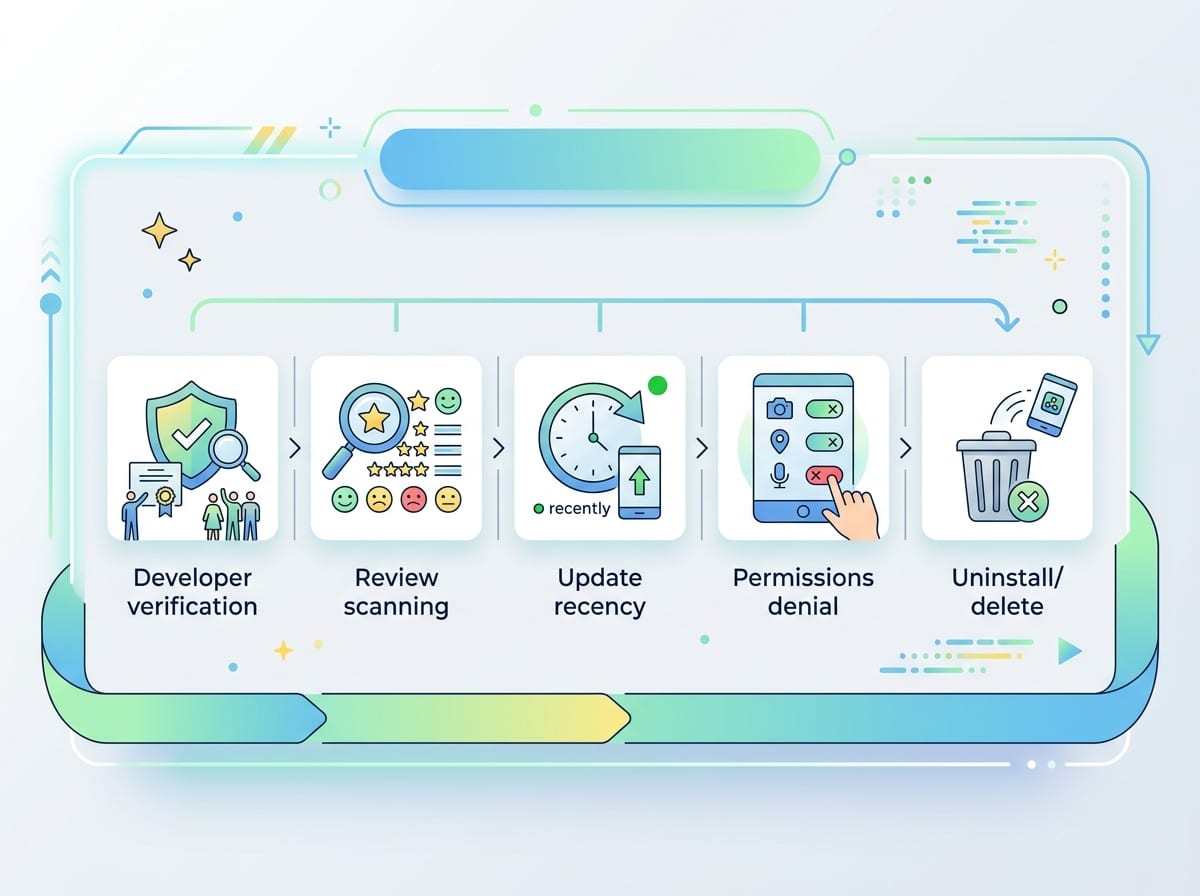
That safety check is mostly about avoiding apps that look harmless but behave like ad machines. The familiar pattern: a “free TV” app promises thousands of channels, then asks for access it can’t explain. On Fire TV, take 60 seconds on the app’s store page: scan the developer name (does it look consistent and searchable), read the most recent reviews (look for repeated complaints like “pop-ups,” “won’t uninstall,” or “keeps opening”), and check the update date so you’re not installing something abandoned.
Then do one quick pass in Settings after you install. If an app wants microphone, contacts, or location for basic playback, deny it. If it breaks without those permissions, delete it and move on—there are alternatives. Also expect a real cost somewhere: some “free” apps pay the bills with aggressive ads, and some legit tools need a one-time fee or a sign-in to work correctly.
With that out of the way, you can focus on apps that fix a specific gap—starting with the “where is this streaming?” problem.
JustWatch: when the real problem is finding where something streams
That “where is this streaming?” moment usually hits when you’re halfway through scrolling and you can’t tell if you’re about to rent something you already get for free. You bounce between Prime Video, Netflix, and the Fire TV search results, and still end up guessing—or opening your phone to check.
JustWatch fixes that gap by acting like a neutral directory. Search a title once, then see which services have it, whether it’s included with a subscription or priced as a rental, and what formats are offered. If you track shows, it can alert you when a new season lands on one of your services, which saves time if you rotate subscriptions month to month.
The real-world catch: it’s only as accurate as its listings. Services change catalogs fast, and you’ll occasionally click through to a result that’s moved. Use it to narrow choices, then confirm on the service before you pay.
Kanopy: free, high-quality movies that don’t feel like bargain-bin
After you’ve found where a title streams, the next letdown is realizing your “free” options are mostly low-effort clips or sketchy live-TV bundles. Kanopy is the opposite: it’s a library-backed service with real movies and solid documentaries, and it plays cleanly on Fire TV without feeling like a constant upsell.
Setup is straightforward: you sign in, pick your public library (or university), and verify your card. Once you’re in, browse by genre or use search, then hit play. It’s a great add if you like indie films, classics, foreign releases, or “I want something good in 10 minutes” browsing.
The constraint is availability and limits. Not every library supports it, and many accounts come with a monthly checkout cap, so it’s better for intentional picks than nonstop background watching. If it fits, it’s one of the easiest ways to expand your catalog for $0.
VLC: play almost any file when streaming isn’t the plan
If your next watch isn’t on a service at all—maybe it’s a video you downloaded, a file from a friend, or something on a USB drive—the built-in players can get picky fast. You’ll hit “unsupported format,” audio that won’t sync, or subtitles that refuse to show up.
VLC is the reliable fix. It plays a huge range of video and audio files, lets you switch audio tracks, load subtitles, and jump forward in precise steps when you’re trying to find a scene. On Fire TV, it’s also handy for playing files over your home network, so you don’t have to move a drive back and forth.
The real-world downside is setup friction. Browsing network folders and picking the right file name with a remote is slow, and performance can dip with very high-bitrate 4K files. If you want your phone-to-TV viewing to feel less fragile, casting is the next gap to close.
AirScreen: make casting from your phone boringly reliable

That “casting is the next gap to close” moment usually looks like this: you tap Cast in an app, your Fire TV doesn’t show up, or it connects and then drops after a minute. AirScreen helps by turning your Fire TV into a more flexible receiver, so your phone can send video without you hunting for a matching casting option in every app.
In practice, it’s most useful when your content starts on your phone—photos, a quick clip, a web video, or an app that doesn’t play nicely with Fire TV’s native casting. If AirScreen is running, you pick the Fire TV as the target and keep control from your phone, which is faster than typing links with a remote.
The catch is that “reliable” still depends on your network. Busy Wi‑Fi, VPNs, and guest networks can break discovery, and some features may be limited unless you pay. When casting isn’t the issue but logging in is, a clean browser matters.
TV Bro: the clean browser for sign-ins, downloads, and the odd stream
When logging in is the bottleneck, most Fire TV browsers make it worse: cluttered home pages, weird pop-ups, and tiny controls that turn a 30-second sign-in into a five-minute fight. TV Bro keeps it simple. You open it, type a short URL, finish the code-based login for a streaming service, download a file you actually meant to grab, or pull up a one-off web stream without wading through toolbars.
It’s also handy for the “support” tasks you don’t want on your phone—checking an account page, opening a link from an email, or grabbing an APK from a trusted source when the Amazon Appstore doesn’t have what you need. The real-world limitation is input: even with a clean interface, typing passwords and long web addresses with a remote is still slow, and some sites won’t behave well on a TV browser. Once you know which gaps you’re solving, you can pick your five.
Picking your five: a fast match to your viewing style
Picking your five gets easy once you name the annoyance you want gone. If you hate guessing where a movie is, install JustWatch. If you want “free but actually good,” add Kanopy (assuming your library supports it). If you watch files you already have, VLC earns its spot fast.
If your viewing starts on your phone, AirScreen is the smoother path—just expect to troubleshoot Wi‑Fi or pay for full features. If you mostly fight logins, keep TV Bro, but plan on using a phone keyboard app to avoid remote typing. Your best five aren’t “underrated.” They’re targeted.